In this article:
- What “agentic” actually means in B2B content
- The architecture: from knowledge base to live page
- The architecture that makes it reliable
- What stays human
- On-demand, not programmatic
- Tools
- Where to start if you’re building this
I’ve been running an agentic AI content workflow across multiple B2B SaaS clients for months now. This post walks through the whole architecture. It’s not a demo. It’s a production pipeline — from a topic on a roadmap to a draft in the CMS — that I use every week.
The whole thing rides on a codified GTM context layer per client — ICP, messaging, brand, decisions. Without that, the agent has nothing specific to draw from and produces the same generic output any LLM would. The architecture below is what sits on top.
Most “agentic AI” content production pipelines on the internet look great on the outside but rarely get you a good output — at least not consistently, and definitely not for B2B marketing teams that need content grounded in a specific product and ICP. This one is different.
If you want the broader picture, my AI workflows for GTM hub post covers 20+ workflows across competitive intelligence, content production, CRM analysis, outbound prospecting, daily ops, and research. This post zooms in on one of them.
What “agentic” actually means in B2B content
The non-agentic version looks like:
- You come up with a content idea
- You paste your idea and context into a chat
- AI drafts
- You iterate (many times)
- You copy-paste the draft into the CMS and hit publish
- You manually add links (if you remember)
And so on. The point is: every step is you driving.
With agentic, the model drives the workflow; you drive the judgment.
A practical definition: agentic means an LLM decides what to do next. Not a 100% fixed workflow where step 1 → step 2 → step 3. Instead, I like to think of it as a control flow pattern — a loop where the model looks at the current state, chooses its next action (read a file, call an API, draft something, check against context), and repeats until it’s done. Some people call these AI agent workflows; mechanically, it’s the same thing.
In B2B content production, it can look something like this:
- Agent comes up with a content idea based on specific rules (e.g., an emerging use case from sales calls gets pulled into your context automatically and another agent picks it up), or you trigger the workflow manually yourself (“I want to create these 5 use case pages”)
- It reads the brief and the rules you’ve set
- It decides what context it needs and pulls information from different sources you’ve provided to it
- It creates content (e.g., text, images)
- It revises based on your feedback (if you want to be involved — I do) and a built-in reflection loop until we’re both happy — this is the step I’m not letting go of
- It lands a publish-ready draft in the CMS (or publishes it for you if you want), with both inbound and outbound links
- (Once published, it monitors any SEO patterns and suggests improvements — but this is a different workflow already)
Without you babysitting each step.
That’s what this post is about. A specific version of it, built and tuned across client workflows, that actually ships content that ranks for our high-intent queries and lands ICP free trials, demos, and paid customers.
Here’s the same idea as a side-by-side, stage by stage:
| Stage | Non-agentic | Agentic |
|---|---|---|
| Idea | You decide what to write | You decide, or an upstream signal triggers it (e.g., a use case emerging from sales calls) |
| Brief + context | You paste docs into the prompt every time | Agent reads the brief, pulls context from a codified knowledge base |
| Drafting | AI drafts from your prompt | Agent drafts grounded in the current knowledge base + live data |
| Revisions | You iterate, many rounds | You iterate, plus the agent’s own reflection loop against pre-set criteria — and a flag when something needs your judgment |
| Images | You source separately, paste them in | Agent generates with brand guidelines, you approve |
| Publishing | You copy-paste into the CMS, set fields manually | Agent publishes via API, returns a draft URL |
| Internal linking | Manual, often forgotten | Agent suggests inbound + outbound, you approve |
The architecture: from knowledge base to live page
Before the workflow runs, two things need to be in place: a clean, up-to-date knowledge base (80% of what makes this reliable) and a trigger — either a rule firing on signals like an emerging use case from sales calls, or you kicking it off manually.
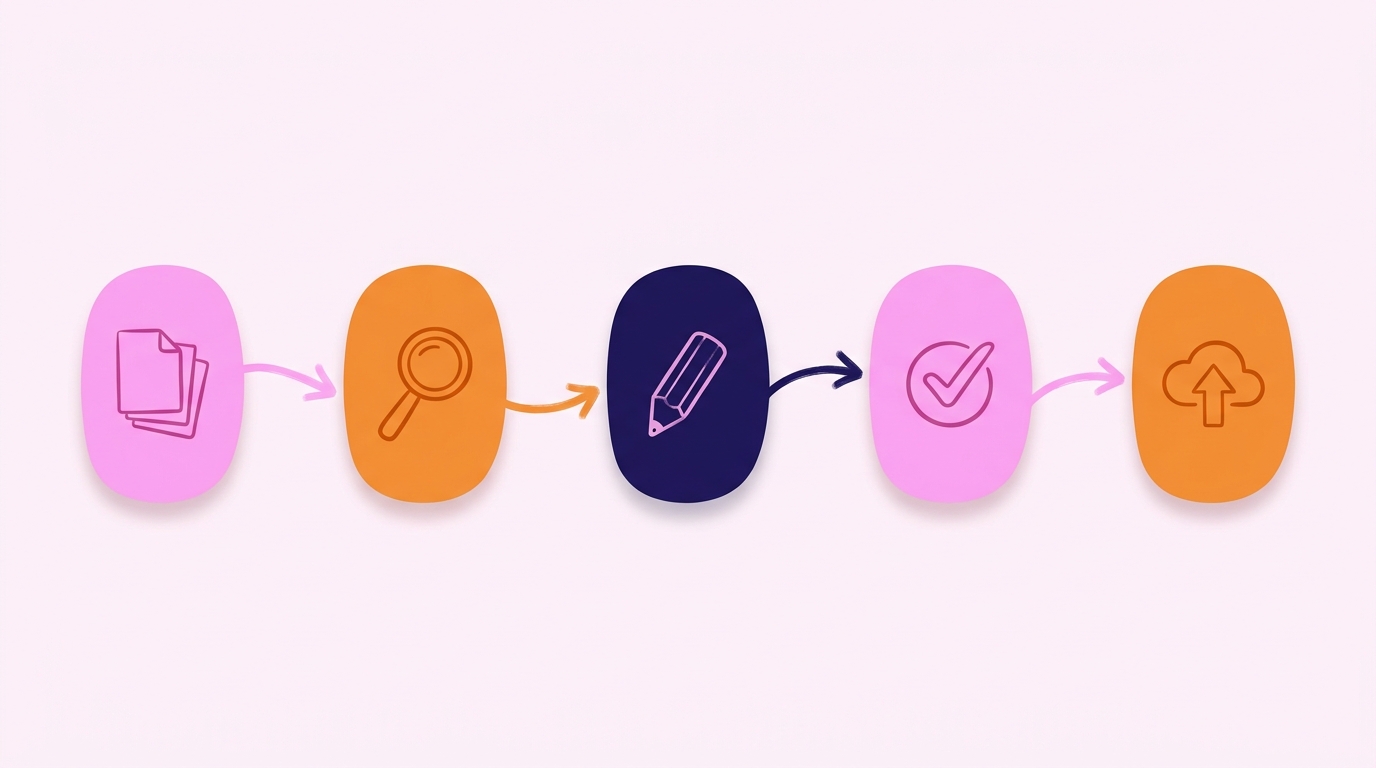
From there, the workflow has five steps:
- Research — agent pulls from the knowledge base and live APIs
- Drafting and revisions — with two handoff paths (author vs. freelancer)
- Images — generated against brand guidelines, human-approved
- Publishing — to CMS draft via REST API, with metadata set
- Post-publish internal linking — proposed inbound/outbound links for review
Once published, a separate workflow monitors SEO patterns and suggests improvements — out of scope here.
I’ll walk through each.
Step 1: Research
When a new content brief comes in (from a human or a fellow agent) — say, a product page for feature X — the agent starts by reading:
1. Knowledge base — plain Markdown files in a local filesystem that Claude Code can grep through, read individual files, and follow links between them:
- The business profile, use case, ICP & positioning, competitive landscape, and case study files (who we’re writing for, what problem we’re solving, why it’s better than alternative solutions)
- SEO and content strategy (as a part of the overall GTM)
- The template for this post type
- The product documentation for feature X (understanding the use cases, what the feature does, mock-up images, etc.)
- The messaging framework (how we talk about the product and benefits)
- Tone of voice and image creation guidelines, including a reference image library for visuals
- Instructions for reading any live data
2. Live data (via API/MCP or WebFetch/scraping):
- Sitemap (internal linking, understanding semantic connections) and similar existing webpages (for reference and to avoid cannibalization)
- Live Help Center (the practical ins and outs of using the product)
- SEO data (via Google Search Console, SEMrush, DataForSEO, etc., what queries the client already ranks for in this area, what the competitors are up to, etc.)
And sometimes more.
The critical property: the knowledge the agents have access to represents current reality, not the client’s memory of reality. When the product adds a feature, the knowledge base gets automatically updated. When positioning shifts, the knowledge base is updated based on certain triggers. When a new case study is published, the knowledge base gets a new file. Without this discipline, the agent draws from stale context and produces beautiful-looking content that’s subtly wrong.
Before the agent drafts, it starts from a template for the post type. I’ve built templates for each — use cases, features, how-to, comparison, FAQ-style resource, category primer, product page, thought leadership. Each template defines both the structural and content design elements.
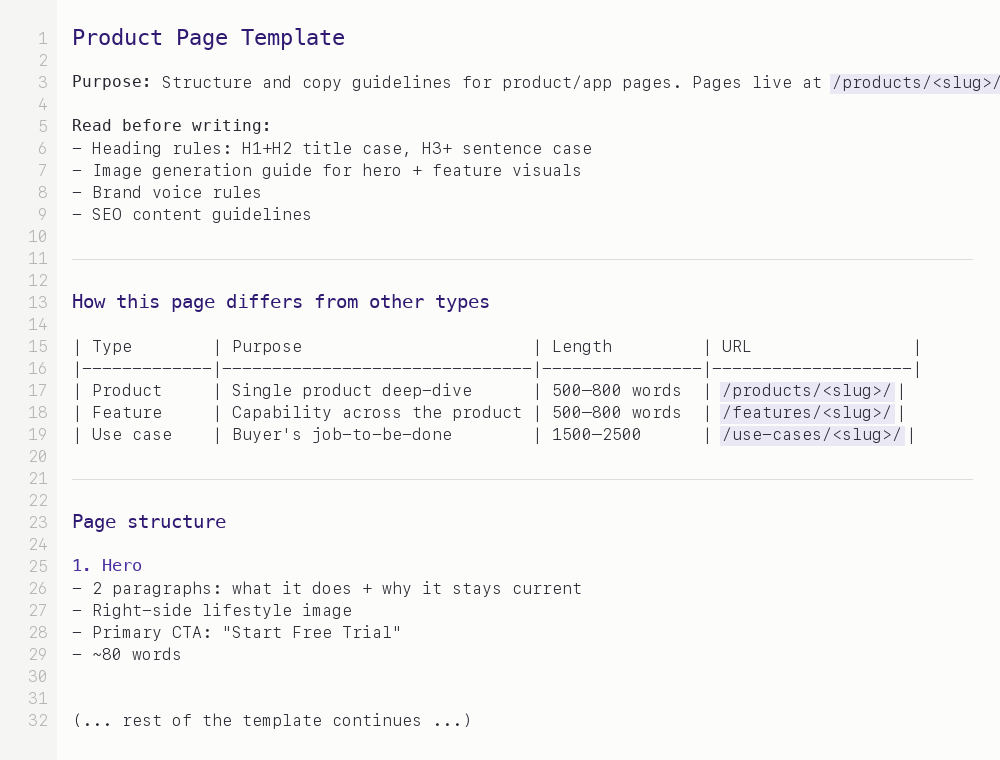
A simplified version of one of my post-type templates. The agent reads this before drafting, and most “should this section exist?” decisions are settled here once.
Note: this isn’t fully programmatic — the agent still makes content decisions within the template, and every post is different within the shape. But it eliminates a class of variance that isn’t valuable: should this piece have an “intro” or a “preamble”? Should it end with a CTA or a “what’s next”? Should the FAQ section sit above or below the conclusion? Those decisions are made once, at the template level. Consistency becomes a byproduct, not a separate effort. It’s somewhere between “blank page every time” and “fully programmatic” — deliberately. The agent can also spawn a friend and debate until they’re happy with the output, based on the rules I’ve set up earlier and the context they have access to.
Step 2: Drafting and revisions
Then it drafts. A first pass is fast — not because the model is fast, but because it’s pulling from structured context instead of a vague prompt.
The two paths fit different types of content, not just different authors.
Path A — I’m “writing” it myself. This is typically the content that requires the deepest ICP and product understanding: product pages, use case pages, anything close to the actual buying decision. Product marketing, essentially. The draft has to be grounded in exactly how the product works, who it’s for, and what problem the specific page is solving. With the knowledge base doing the heavy lifting, drafts come back close to publishable from the start — light redirection on page one, rarely any edits by page two or three.
Thought leadership also fits here, paradoxically — opinionated takes that need my perspective on the problem, where the product details are supporting context. That’s me writing, not a freelancer.
Path B — a freelancer is writing it. This tends to be top-of-funnel content: broader, more educational, less tied to the specifics of the product. Blog posts that explain a category, industry primers, how-to guides.
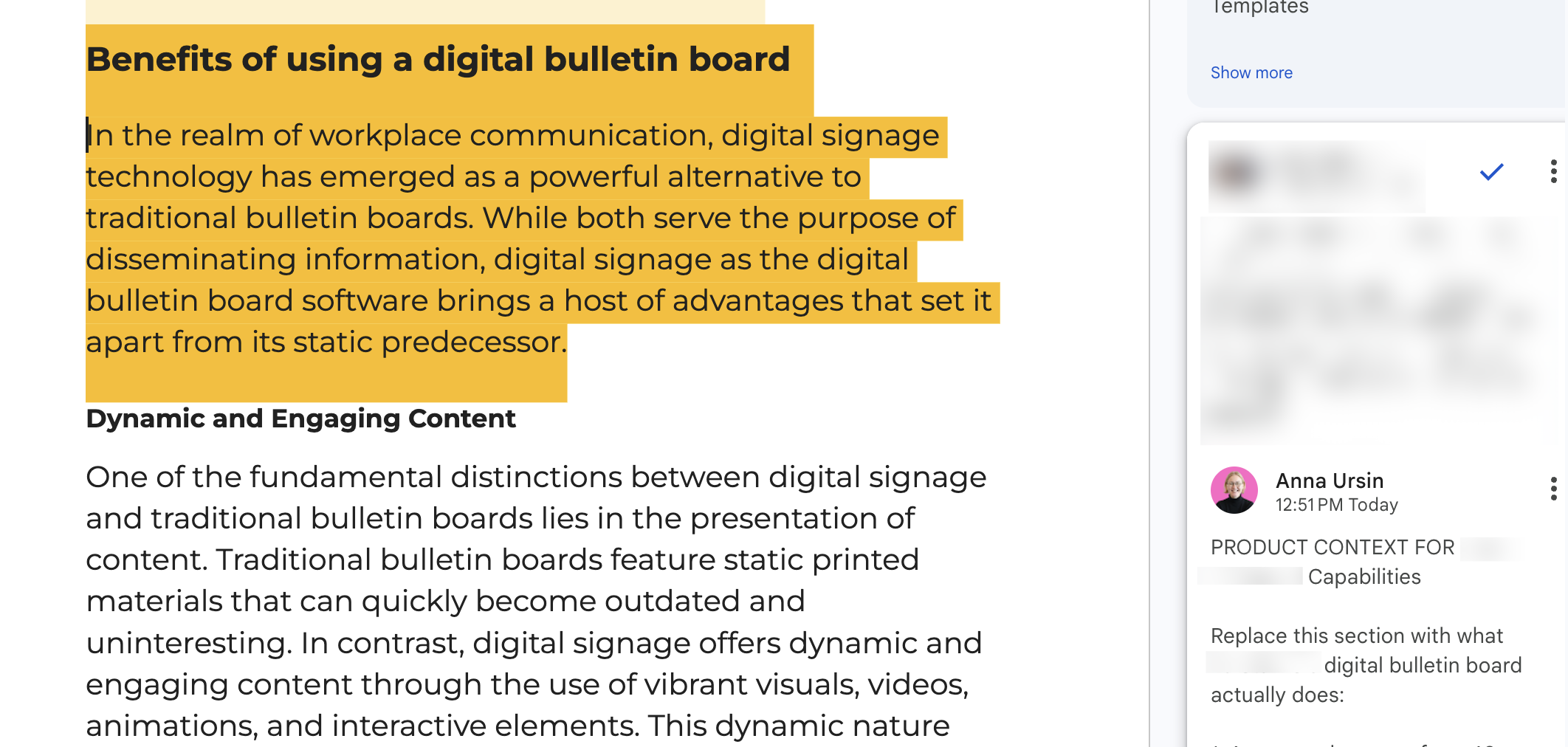
The freelancer writes a draft based on an SEO brief. The draft arrives as a Google Doc. The agent reads the draft, cross-references it against the product documentation and Help Center, and adds inline Google Doc comments. Things like:
- “This feature doesn’t exist — the product has a similar capability but it works differently. Here’s the Help Center link: [link].”
- “The messaging framework uses ‘time to insight’ not ‘fast results’ — switching.”
- “We already have a page targeting this keyword. Recommend cross-linking rather than duplicating coverage.”
The freelancer walks away with a 30-minute call’s worth of product context, automatically. They don’t need to hunt down a product manager, read the Help Center, or guess at positioning. The agent is their product SME for the span of one draft.
Step 3: Images
Images happen in a parallel lane. The agent drafts visuals for each piece — hero, inline diagrams where useful — using Nano Banana (Gemini image) with brand guidelines (written rules) and a reference image library pre-loaded per client. I don’t let it just ship them. I review each one, regenerate where needed, and approve. It’s a small but visible per-post decision that I want to stay close to.
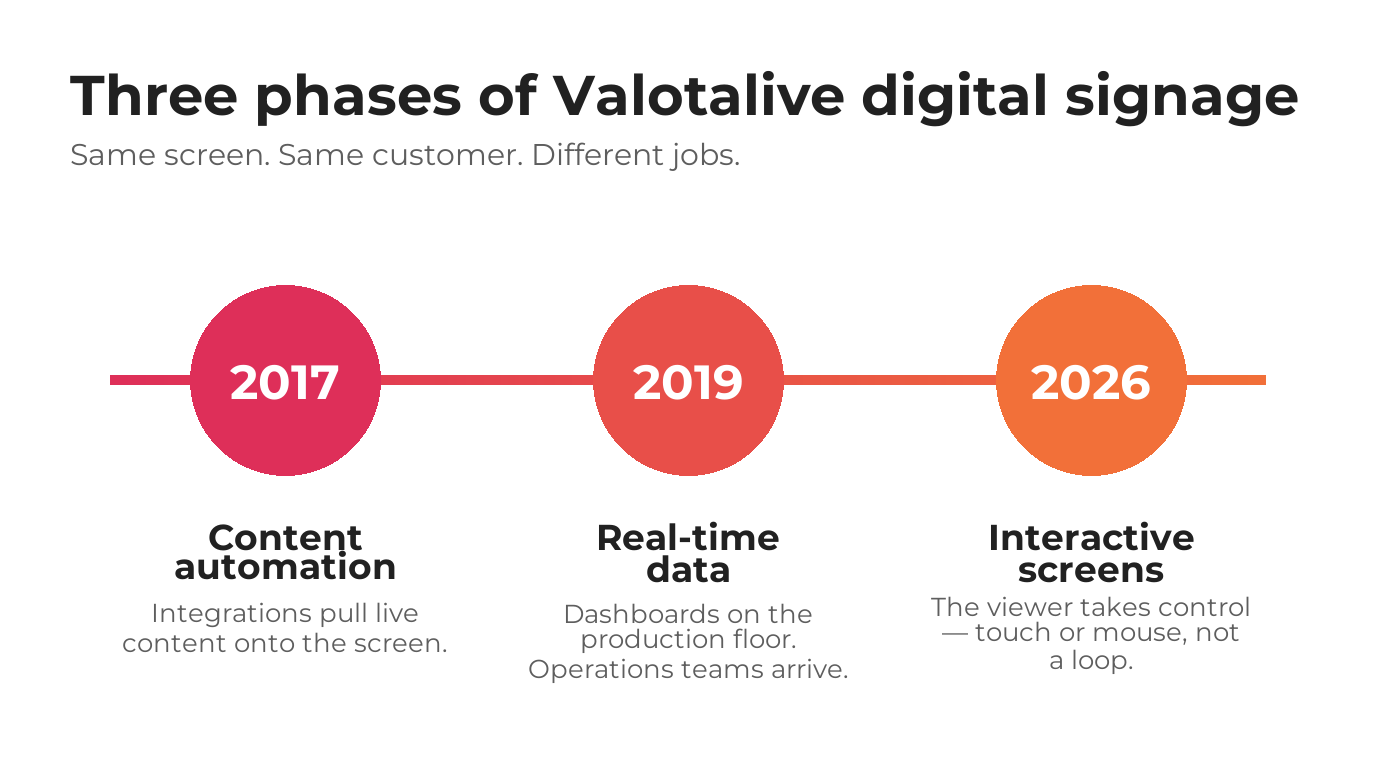

Two agent-generated images from Valotalive client work — one flat infographic, one realistic shop-floor scene — both following the same brand guidelines and reference library.
Step 4: Publishing
Once the draft and images are approved by me and the client team (I typically get max 2 small comments!), the agent publishes directly to the CMS. I’ll walk through WordPress because that’s the stack many of my clients use and the REST API is predictable.
For a new blog post, the agent:
- Creates the post via the WordPress REST API in
draftstatus (never live without review) - Sets the SEO title and meta description from the approved draft
- Sets the slug, checks it against existing URLs for collisions, and assigns the right categories and tags
- Attaches images and the featured image to the post
- Sets the author and the publish date (or leaves it unset if it’s being scheduled)
- Returns the WordPress draft URL so I can open it, review the rendered version, and flip to live when it’s ready
A product page under a feature hub adds one more step: the agent sets the parent field so the URL nests correctly. Beyond that, same pattern.
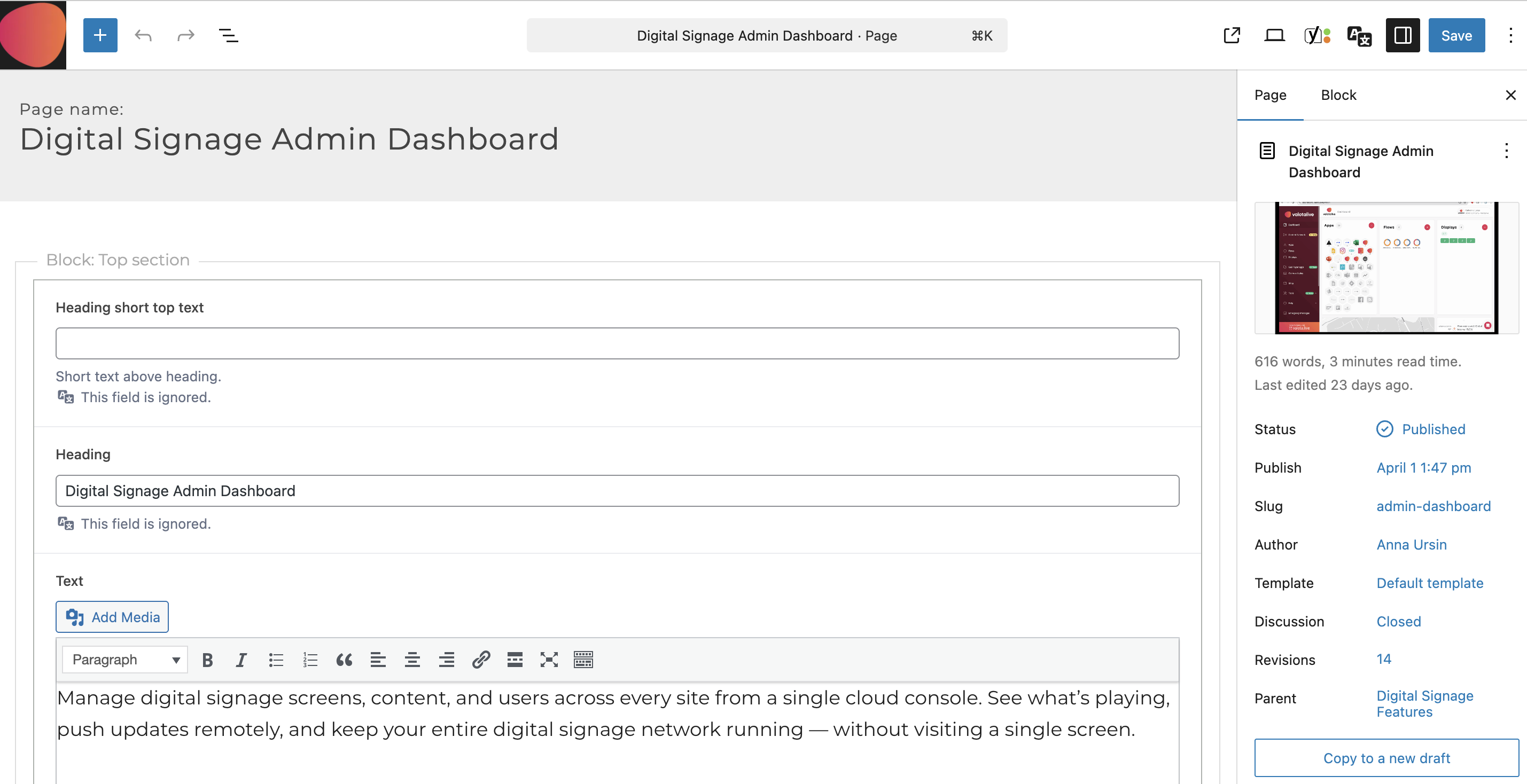
Every field in this screenshot — title, intro text, block structure, featured image, author, template, parent page, slug — was set by the agent via the WordPress REST API. No human clicked anything in the editor UI.
Webflow is also doable but trickier. The CMS API is more particular about collection structure and required fields, and the frontend template has to be wired correctly for new collection items to render. Workarounds exist, but if you’re choosing a platform for this kind of workflow, WordPress is friendlier. For my own website I’m using Astro + Vercel with no CMS, and it works well too.
Step 5: Post-publish internal linking (inbound + outbound)
This is the part most SEO content workflows skip. A new page without inbound links is orphaned — Google finds it via the sitemap but doesn’t weigh it as important. Every new page deserves 2–4 relevant inbound internal links from existing relevant pages.
During the planning process, the agent scans the site’s published content, identifies pages topically related to the new one, and drafts suggested link insertions or replacements: “On the /pricing page, the sentence about ‘enterprise features’ could link to the new page with anchor text ‘our enterprise capabilities breakdown.’” I review the list, approve, and the agent updates the links.
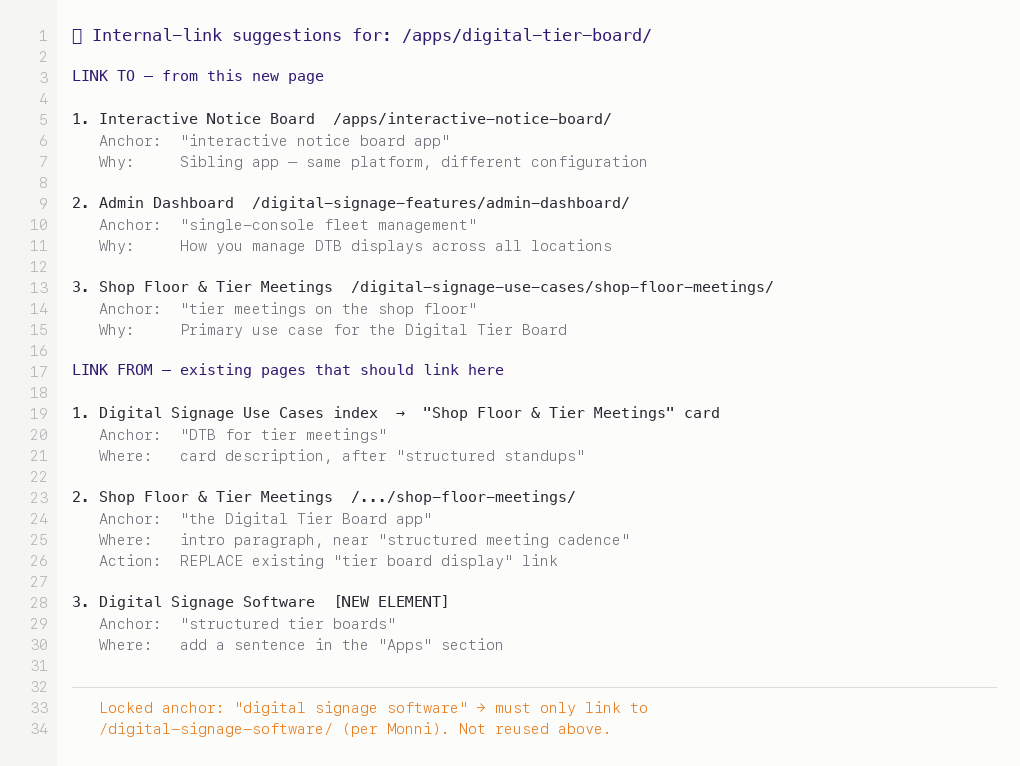
What the agent actually hands me for review — each proposal comes with anchor text, placement, reason, and whether it’s a new link or a replacement. Anchor-text locks (client-specific SEO rules) are enforced before any suggestion reaches me.
The architecture that makes it reliable
Reliability in agentic workflows is boring in the way good engineering is boring. Most of the work is in constraints, not capabilities.
Persistent, up-to-date context, not per-session prompts
The knowledge base is the source of truth. Every session starts by reading it fresh. I don’t pass context in a prompt and hope the model remembers — it doesn’t have to remember because it can always re-read. When the product changes, I update the knowledge base once and every future content generation is correct.
One concrete example: Valotalive’s admin dashboard page was written end-to-end with this setup — the agent pulled from their current product docs, messaging, and SEO data, and the draft landed in the CMS.
Before the agent drafts anything, it’s required to do two things:
-
Read source materials (enforced by hooks, not just rules). The knowledge base is structured for the agent to find what it needs — plain Markdown, organized by topic, easy to grep. Reading is cheap; letting the agent skip this step and guess is expensive. This ensures the agent uses real messaging and current product docs instead of making things up. If it tries to write about a feature that isn’t in the knowledge base, the read-before-write step surfaces the gap.
-
State what it knows about context AND my goals for the task. “The client’s ICP is B2B SaaS companies under €5M ARR. The messaging framework positions the product as X. This page is a mid-intent SEO page and part of a wider content hub around topic X. This feature was released in February 2026, documented here: [file]. Similar pages we’ve written: [list]. Writing now.” This stage catches a lot of weird assumptions that I can just fix directly in the source — a.k.a. stale context.
These two steps alone catch a huge number of hallucinations.
Self-check, then flag
The agent doesn’t just iterate based on my feedback. After each draft, it checks itself against the criteria I’ve set — does this match the messaging framework? Are the product claims grounded in current docs? Does the structure follow the template? It loops on its own until those criteria are met.
But there’s a second behavior I care about more: when something doesn’t match cleanly — a context that conflicts with the brief, a product claim the docs don’t quite support, a positioning question that’s actually a strategy question — it flags for me instead of guessing. The agent papers over nothing. The judgment calls stay with me.
Validate inputs, not just outputs
If the knowledge base has stale product documentation from three months ago, the agent’s output will confidently reference the old version of the feature. Output quality is bounded by input freshness.
So I run regular knowledge base health checks when running this agentic workflow: which files haven’t been touched in 60+ days? Does the documentation match the current product? Are case studies still accurate, or has the customer situation changed? These checks run on demand. Stale sections get flagged for the client’s product or marketing lead to refresh.
Versioning the messaging framework
The messaging framework is the one piece of the knowledge base that changes the most. When it changes, every piece of subsequent content reflects the new version. But the content that was written against the old version doesn’t automatically update.
Simple metadata tracking: each published piece has a frontmatter field indicating which version of the framework it was written against. When the framework changes significantly, I can list every piece written against the old version and decide what to update, what to leave, and what’s fine either way.
Not fancy. Operationally nontrivial.
What stays human
Some parts of the workflow aren’t automated — not because they can’t be, but because they shouldn’t be.
The brief itself. What this content should accomplish, who it’s for, what action it should drive. That’s a strategic judgment. The agent can execute against a clear brief; it can’t write one on its own.
Voice calibration. The agent can match a voice once you’ve established it. It can’t create one. Deciding that the content should sound slightly contrarian, slightly self-deprecating, or slightly more formal than the last piece — that’s a human call. I redirect the first draft toward the voice I want; the agent learns from those redirects across the session.
“Should this exist?” Not every content brief should be executed. Sometimes a prospect question belongs in an FAQ, not a blog post. Sometimes a feature is too niche to deserve a dedicated page. Sometimes we should skip the blog and update existing pages instead. That’s a portfolio-level decision, made with the client — and it’s a decision before anything gets built.
Final review. Always. Draft mode is non-negotiable for high-stakes content. Before any URL goes public, a human has read it rendered, clicked every link, and checked the images. Every time. Cost: 5 minutes per page. Saved: months of recovering from a public error.
On-demand, not programmatic
I deliberately run this on demand — one post at a time, reviewed and approved — rather than programmatically generating content at scale.
Technically, once the templates, knowledge base, and publishing pipeline are all in place, there’s no reason you couldn’t point the agent at a list of 20 topics and let it produce 20 drafts at once. Programmatic content workflows have existed for years (I’ve built them myself for programmatic SEO), well before LLMs were useful for writing. The mechanics are straightforward.
What’s different now is that LLMs raise the stakes.
The same pipeline that used to generate simple, templated, obviously-programmatic pages can now produce fluent, on-voice, subtly wrong content at scale. The failure mode happens once at a time and you catch it. At 20 or 200 at a time, with the same stale knowledge base, you ship a content problem into production before anyone reads a single page.
So the workflow can scale beyond what I’m doing. I’ve chosen not to. On-demand lets me stay close to each draft, redirect voice as needed, and catch issues before they multiply. Once the input audits are tight enough and the templates are stable enough, batching becomes a button press — but I haven’t pressed it yet, and I’d be careful about when I do.
The fact that it takes me about 20 minutes, instead of half a day, to go from content idea to a published page — and most of that time is waiting for the Gemini API to create the images — is pretty mind-blowing. Especially when the output is genuinely better than what I could have done manually.
Tools for agentic AI workflows
The architecture matters more than the specific choices, but for reference — this is the stack I actually use:
- Agent runtime: Claude Code with custom skills for each step. The “agentic” part lives here — Claude Code decides what to read and what to do next within each skill.
- LLM: Opus 4.6 (testing 4.7 at the time of writing this) as the primary model for drafting and review. Other models for subagents like fetching context and filtering, where speed and accuracy matter more than depth and judgment.
- Knowledge base: a local filesystem of Markdown files per company/business. Plain text. Any location works: Obsidian, GitHub, even locally synced Google Drive (Insync is great for this).
- Website: any stack — CMS or without — that has a well-documented API (or MCP) and allows you to use it for writing and editing. WordPress is really flexible. My own website is built on Astro + Vercel with no CMS. Webflow is a bit tricky because it doesn’t allow deleting stuff via Designer MCP, so agents can’t work fully autonomously and, e.g., replace sections or images by themselves if they’re not happy with the end result.
- Image generation: the Gemini image model (Nano Banana) for brand-consistent visuals.
The workflow doesn’t need dedicated infrastructure. It runs on tools you likely already have — a CMS, an LLM account, a local filesystem. Direct cost scales with LLM API usage for drafting and review, which scales with how much content you ship.
Where to start when building an AI agent workflow
If you’re tempted to replicate this, don’t start with the automation. Do this instead:
Start with a clean, up-to-date knowledge base. This is 80% of what makes the workflow reliable and outcomes good. Without it, the agent is guessing. With it, the agent is context-aware. Spend the first days or hours (if you’re in a good place) just codifying what your team already knows: the ICP, the messaging, the product docs, the Help Center, the competitive positioning. If you can’t write it down clearly, the agent won’t work with it clearly either.
Pick one content format first. Anything you have more than five of, so you can iterate and make it better next time. Product pages, use case pages, comparison posts, or similar. Build a template for it. Don’t generalize the workflow before you’ve made it work in a narrow case. Trying to build a general-purpose content agent in sprint 1 is how you end up with nothing that works well for anything.
Run the non-agent version first. You, manually, pulling context from the knowledge base and drafting with AI help in a chat window. Get that working. Note every manual step you take. Then build the orchestration to do those steps automatically.
Keep a human in the loop at the review gate. Draft mode, always (if you ask me). The speed of the workflow matters less than the reliability of what ships.
Finally, you can automate the full workflow. But remember to also build the input audits before you trust the output. Health checks on the knowledge base, staleness flags, explicit “this source is X days old” warnings. If you can’t audit your inputs, you can’t trust your outputs.
(I’m planning on writing more about knowledge base structuring rules that help to get a good outcome — follow me on LinkedIn if you’re interested in that.)
Common questions
What is an agentic AI content workflow?
An agentic AI content workflow is a content production pipeline where an LLM decides what to do next at each step — reading context, drafting, revising, publishing — rather than being prompted one step at a time. The agent drives the workflow; you drive the judgment.
How is agentic AI different from using AI in a chat?
In a chat you drive every step: paste context, prompt, review, copy-paste into the CMS. In an agentic workflow, the model drives the workflow — reading from a knowledge base, drafting against a template, running a reflection loop, and landing a publish-ready draft in the CMS. You stay on the judgment calls.
What tools do you need to build an agentic AI workflow?
Claude Code as the agent runtime, Claude as the primary LLM, a local filesystem of Markdown files as the knowledge base, your CMS of choice (WordPress has the most predictable REST API), and Nano Banana or similar for brand-consistent image generation. No dedicated infrastructure — cost scales with LLM API usage.
Does this work with WordPress?
Yes — WordPress is the friendliest CMS for this kind of workflow because its REST API is well-documented and predictable. The agent creates posts in draft status, sets the slug, assigns categories, uploads featured images, and returns a draft URL for human review. Webflow is doable but more particular, and its Designer MCP has limitations.
Agentic AI content workflows with good-quality outputs are not magic. They’re patient engineering: a knowledge base that stays current, a set of templates that absorb structural decisions, an orchestration that reads before writing, a review gate that never closes, and operational discipline around input quality. The agent is the least interesting part of the system — it’s just an LLM deciding what to do next. The interesting part is what you hand it to decide with.
If you’re a B2B marketer trying to build something like this, and you’re reading this thinking “this is more operational work than I expected” — yes, that’s the right instinct. The demos make it look fast. The real thing takes a few hours to set up and days to weeks to tune. Worth it, if you’re producing content consistently. Not worth it if you’re shipping a page a quarter.

Anna Ursin
Fractional GTM lead for B2B SaaS companies at €1M–10M ARR. I help founders build go-to-market engines that actually connect to pipeline — instead of random acts of marketing. More about me
